首先浏览器上登录微博,浏览器要求: QQ浏览器,360极速浏览器,谷歌浏览器,火狐浏览器等都行,可以先试试,不行再换。Safari我记得默认是关闭调试模式的,
Windows 用户直接按 F12 打开控制台,或者在网页上右键,会有【元素审查】、【检查】类似这种的菜单项,打开它,正常情况浏览器内会出现一个窗口。
然后点击【console】标签页,复制代码,在箭头在的位置粘贴代码,如果你要按条件删除,那就先编辑好条件,然后按回车。
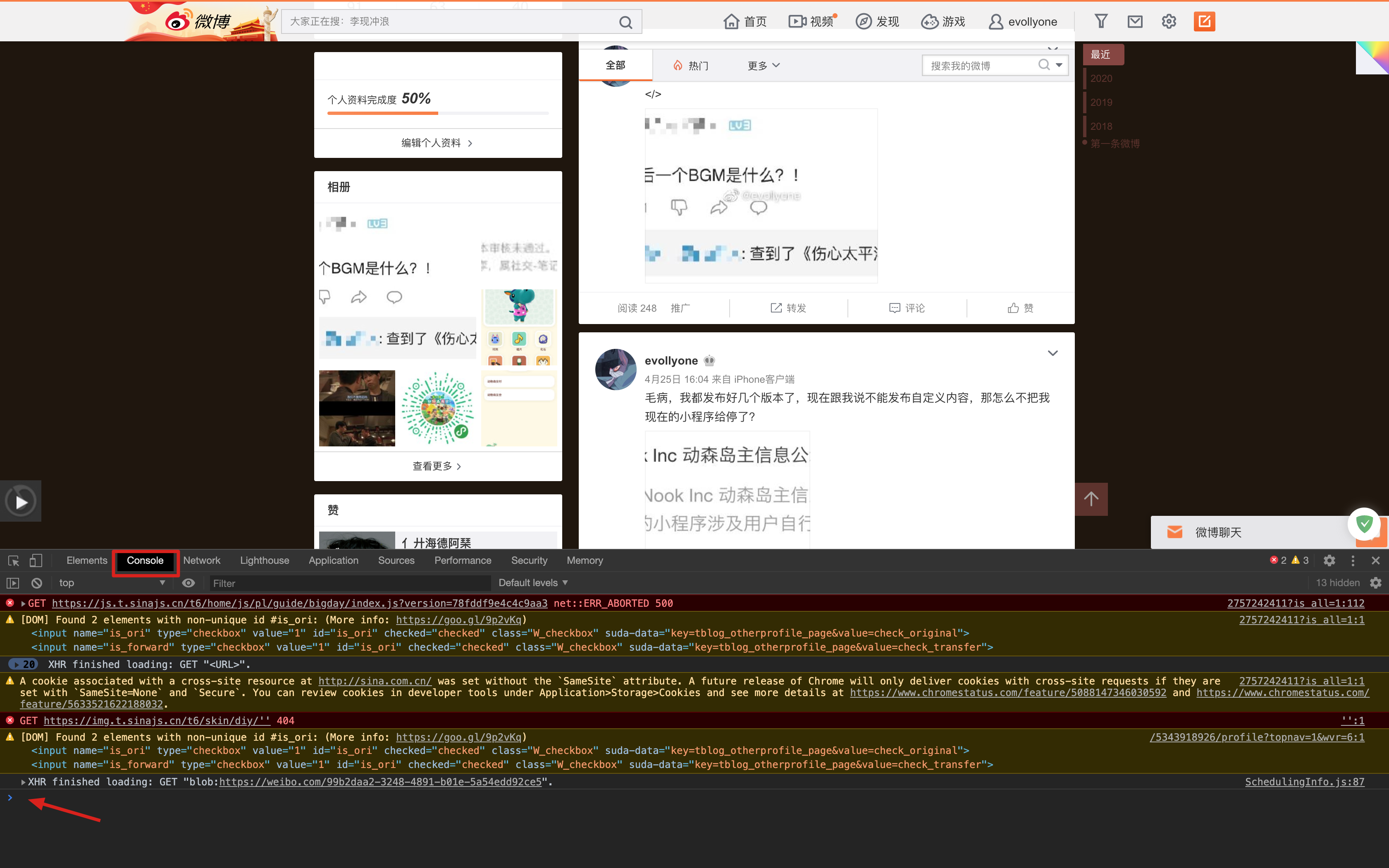
根据实际使用来说,删除要等个十来秒才会执行,当页面在闪的时候说明在删除了。
使用的时候自动跳到下一页好像有点问题。如果页面长时间没反应,那就刷新一下页面,再粘贴执行一遍代码。
这是按条件删除微博的代码:
1
2
3
4
5
6
7
8
9
10
11
12
13
14
15
16
17
18
19
20
21
22
23
24
25
26
27
28
29
30
31
32
33
34
35
36
37
| 'use strict';
var s = document.createElement('script')
s.setAttribute(
'src',
'https://lib.sinaapp.com/js/jquery/2.0.3/jquery-2.0.3.min.js'
)
s.onload = function() {
let index = 0
setInterval(function() {
if (!$('div[action-type="feed_list_item"]').length) {
$('a.next').click()
} else {
const firstItem = $('div[action-type="feed_list_item"]')[index]
const text = $(firstItem).find('.WB_feed_detail .WB_detail div[node-type="feed_list_content"]').text()
const needDelete = text.indexOf('今天') > 0
if(needDelete){
$(firstItem).find('a[action-type="feed_list_delete"]')[0].click()
$(firstItem).find('a[action-type="ok"]')[0].click()
}else{
index += 1
}
}
$('html, body').animate({ scrollTop: $(document).height() }, 'slow')
}, 800)
}
document.head.appendChild(s)
|
这是删除所有微博的代码:来源
1
2
3
4
5
6
7
8
9
10
11
12
13
14
15
16
17
18
19
20
21
| 'use strict';
var s = document.createElement('script');
s.setAttribute(
'src',
'https://lib.sinaapp.com/js/jquery/2.0.3/jquery-2.0.3.min.js'
);
s.onload = function() {
setInterval(function() {
if (!$('a[action-type="feed_list_delete"]')) {
$('a.next').click();
} else {
$('a[action-type="feed_list_delete"]')[0].click();
$('a[action-type="ok"]')[0].click();
}
$('html, body').animate({ scrollTop: $(document).height() }, 'slow');
}, 800);
};
document.head.appendChild(s);
|